dB traktor playlist tools icon
roger DJ oddBeat

dB traktor
playlist tools

v1.0.1 · free

Traktor Pro quietly drops tracks from your playlists on a bad save. the collection is fine — but a playlist you spent years building is suddenly empty. playlist tools rebuilds it from your own backups.

download free support development  €5 ♥
for Traktor Pro · macOS · apple silicon · notarized
Opening it the first time on macOS

macOS checks apps from outside the App Store on first launch. If you see “Apple could not verify… is free of malware”, don’t worry — the app is signed & notarized by Apple. To open it:

  1. Click Done — never “Move to Bin”.
  2. Open System Settings → Privacy & Security.
  3. Scroll down and click Open Anyway next to “dB traktor playlist tools”, then confirm.

You only do this once — after that it opens like any other app.
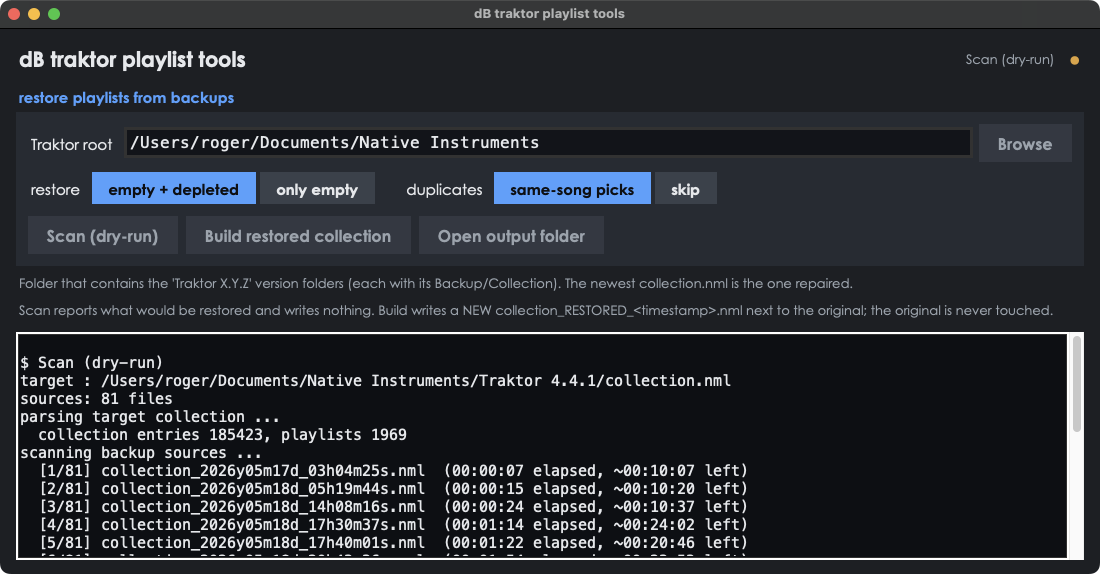
dB traktor playlist tools app window
what it does
🔄

rebuilds emptied playlists

finds the richest past version of every playlist across your Traktor backup snapshots and puts the tracks back — in their original order.

💾

survives drive migrations

re-links each track by filename and folder when a volume or drive letter changed, so playlists rebuild even after you moved your whole library.

🔒

never touches your collection

writes a new collection_RESTORED_<time>.nml beside the original — and verifies every cue point, grid and tag is preserved before it finishes.

why this exists

your playlists shouldn’t just vanish.
one bad Traktor save and the membership is gone —
even though every track is still sitting in your collection.

playlist tools reads your Backup/Collection snapshots, works out where each track went, and rebuilds the playlist exactly. tracks that no longer exist in your library are listed for you, never guessed.

three steps
1

point

point it at your Native Instruments folder — it finds every Traktor version and backup on its own.

2

scan

a dry-run shows exactly what would be restored and what can’t — and writes nothing.

3

build

writes a new collection_RESTORED_.nml; the original is never modified and every cue and grid is checked intact.

your original is safe

playlist tools never overwrites your collection.nml. it writes a brand-new collection_RESTORED_<timestamp>.nml next to it, then re-parses that file to prove the collection is byte-for-byte intact — cue points, beatgrids, tags and track order all preserved — before it tells you it’s done.

load the restored file in Traktor when you’re happy, or keep both — nothing is forced.